


In this article
Essential custom software development steps for startups
Business & Strategy
Mar 26, 2026
11 min read
Learn the essential custom software development steps startups need to successfully build, launch, and maintain tailored software solutions that deliver real business value.

Building custom software can feel overwhelming when you’re juggling tight budgets, ambitious timelines, and a vision that needs to translate into working code. Many startups stumble because they skip foundational steps or rush into development without a clear roadmap. Understanding the essential phases of custom software development transforms uncertainty into a structured process that delivers real business value. This guide walks you through each critical step, from initial planning to post-launch maintenance, so you can confidently navigate your software journey and avoid costly mistakes that derail projects
Key Takeaways
| Point | Details |
|---|---|
| Clear requirements | Thoroughly gathering stakeholder needs and prioritizing features reduces risk and guides design. |
| Right team selection | Choose among in house, outsourced, or hybrid models based on timeline budget and technical needs. |
| Iterative development | Plan two week sprints with clear goals and acceptance criteria to catch issues early. |
| One page brief | Create a simple project brief that explains the problem, audience, and success metrics to align the team. |
Preparing for custom software development
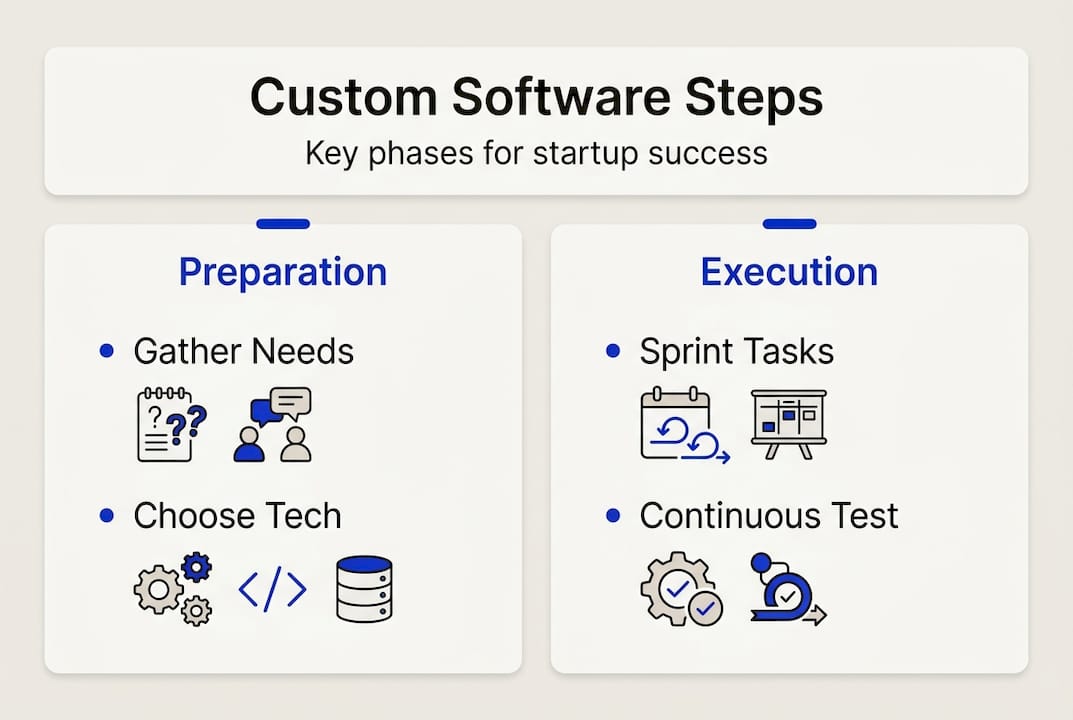
Before writing a single line of code, you need rock-solid preparation. Clear project requirements and goals reduce development risks and improve success rates. This groundwork determines whether your project delivers on promises or becomes another cautionary tale.
Start by gathering requirements from everyone who has a stake in the outcome. Founders bring business vision, product managers contribute user insights, and technical stakeholders identify feasibility constraints. Document every feature request, but resist the urge to build everything at once. Prioritize ruthlessly using frameworks like MoSCoW (Must have, Should have, Could have, Won’t have) to separate essential functionality from nice-to-haves.
Your requirements document should answer three questions: What problem does this solve? Who experiences this problem? How will we measure success? Vague answers here create vague software later.
Next comes team selection, one of your most consequential decisions. You have three paths:
- In-house teams offer maximum control but require significant hiring time and overhead costs
- Outsourced development provides access to specialized skills and faster scaling
- Hybrid models combine internal product ownership with external technical expertise
Evaluate each option against your timeline, budget, and technical complexity. A fintech startup building AI-powered fraud detection needs different expertise than an e-commerce platform optimizing checkout flows. Match your team structure to your specific technical demands.
Technology choices at this stage set long-term constraints. Consider scalability needs, your team’s existing skills, integration requirements with other systems, and community support for your chosen stack. Python excels for data-heavy applications, JavaScript dominates web interfaces, and C# powers enterprise systems. Your custom software development guide for startups should align technology with business objectives, not trends.
| Preparation element | Time investment | Impact on success |
|---|---|---|
| Requirements gathering | 2-4 weeks | High – prevents rework |
| Team assembly | 3-6 weeks | Critical – determines velocity |
| Technology selection | 1-2 weeks | High – affects scalability |
| Budget planning | 1 week | Medium – guides scope decisions |
Pro Tip: Create a one-page project brief that anyone can understand in 60 seconds. If you can’t explain your software simply, your requirements aren’t clear enough. This document becomes your north star when scope discussions get contentious.
Executing development: step-by-step process
With preparation complete, you enter the execution phase where ideas become functional software. This process follows a logical sequence: planning sprints, designing user experiences, writing code, and validating quality.
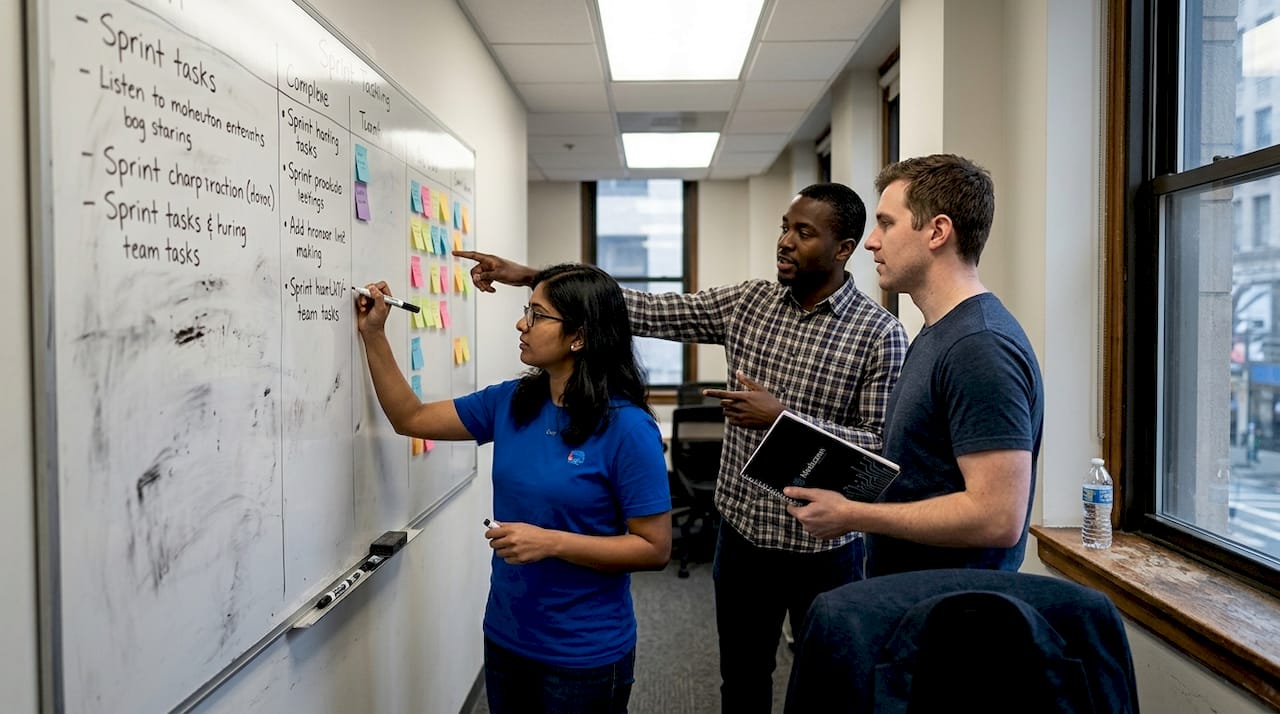
Planning transforms requirements into actionable development tasks. Break your project into two-week sprints, each delivering working features you can test and evaluate. This iterative approach beats waterfall methods because you catch problems early when they’re cheap to fix. Define clear sprint goals, assign tasks to specific developers, and establish acceptance criteria that determine when work is truly done.
UI/UX design happens before coding begins. Wireframes and prototypes let stakeholders visualize the product and provide feedback without expensive code changes. Good design focuses on user workflows, not just aesthetics. Map out every user journey, identify friction points, and simplify relentlessly. Your users won’t read manuals, so interfaces must be intuitive.
Coding follows design specifications, but even the best developers produce bugs. That’s why regular quality assurance and testing throughout development cycles enhance software reliability. Implement these testing layers:
- Unit tests verify individual functions work correctly in isolation
- Integration tests confirm different modules communicate properly
- User acceptance testing validates that features solve real user problems
- Performance testing ensures the system handles expected load volumes
Continuous integration automates much of this testing. Every code commit triggers automated tests, catching regressions immediately. This practice prevents the nightmare scenario where fixing one bug creates three new ones.
Collaboration between developers and stakeholders determines project health. Schedule daily standups for teams to sync on progress and blockers. Hold sprint reviews where stakeholders see working software and provide feedback. Conduct retrospectives to improve processes continuously. Transparency builds trust and surfaces issues before they become crises.
Scope changes will happen, guaranteed. A competitor launches a feature you need to match, or user feedback reveals a critical gap in your original plan. Manage these changes systematically. Evaluate every request against your core objectives, estimate the development cost and timeline impact, and make conscious trade-offs rather than just adding to the backlog.
Pro Tip: Implement feature flags that let you deploy code to production but activate features selectively. This technique reduces deployment risk and enables A/B testing without separate code branches. You can roll out changes to 10% of users, validate performance, then expand gradually.
Agile methodologies shine in startup environments because they embrace change rather than fighting it. Your initial assumptions will be wrong about something, maybe many things. Iterative development lets you course-correct based on real data instead of defending a plan created with incomplete information.
Common challenges and how to overcome them
Even well-planned projects hit obstacles. Most startups encounter issues like scope creep, communication gaps, and technical hurdles during implementation. Recognizing these patterns helps you respond effectively instead of panicking.
Scope creep kills more projects than bad code. It starts innocently with small additions that seem reasonable in isolation. But twenty small additions transform your three-month project into a nine-month ordeal that exhausts your runway. Combat this by establishing a formal change request process. Every new feature requires written justification, impact analysis, and explicit approval from decision-makers. Create a separate backlog for future enhancements so good ideas aren’t lost, just deferred.
Communication breakdowns manifest as developers building the wrong thing or stakeholders discovering unwelcome surprises at demos. Bridge this gap with visual artifacts. Screenshots, videos, and interactive prototypes communicate more effectively than specifications documents. Schedule regular check-ins, but keep them focused and time-boxed. Thirty minutes of structured discussion beats two hours of meandering conversation.
Documentation feels like busywork until someone needs to understand a decision made three months ago. Maintain lightweight documentation that captures architectural choices, API contracts, and deployment procedures. Use tools that live alongside your code so documentation updates happen naturally during development.
Technology stack pitfalls emerge when you choose tools for resume-building rather than problem-solving. That cutting-edge framework might be exciting, but if your team doesn’t know it and documentation is sparse, you’ve added risk without corresponding benefit. Prioritize boring, proven technologies for critical paths. Save experimentation for non-essential features where failure is tolerable.
Resource constraints force difficult trade-offs. You can’t hire ten developers overnight, and your budget won’t stretch indefinitely. Address this through ruthless prioritization and creative staffing. Consider these strategies:
- Focus initial development on core functionality that delivers immediate user value
- Use staff augmentation to access specialized skills for specific project phases
- Leverage managed services and platforms to avoid building infrastructure from scratch
- Implement feature flags to deploy partially complete work without exposing it to users
Risk mitigation requires planning and feedback loops. Identify your biggest technical uncertainties early and run experiments to validate approaches. Building a proof of concept for the hardest problem first prevents discovering fundamental blockers after you’ve invested months in surrounding features. Gather user feedback continuously through beta programs, analytics, and direct interviews. Your assumptions about user behavior will be wrong, so validate quickly and cheaply.
Verifying success and maintaining your software
Launching your software isn’t the finish line, it’s the starting line for delivering ongoing value. Verification ensures you built the right thing, while maintenance keeps it working as your business grows.
Testing against initial requirements closes the loop on your original goals. Review your requirements document and verify that every must-have feature works as specified. Conduct user acceptance testing with real users performing actual workflows. Their fresh perspective catches usability issues your team has become blind to through familiarity.
Metrics and KPIs transform subjective opinions into objective assessments. Define success criteria before launch so you’re measuring what matters. Track user engagement metrics like daily active users, session duration, and feature adoption rates. Monitor technical performance through response times, error rates, and system uptime. For business impact, measure conversion rates, customer acquisition costs, and revenue per user. These numbers tell you whether your software delivers promised value.
User training and documentation determine adoption success. Even brilliant software fails if users don’t understand how to leverage its capabilities. Create onboarding flows that guide new users through core features. Develop help documentation that answers common questions. Record video tutorials for complex workflows. The investment in education pays dividends through reduced support costs and higher user satisfaction.
Scheduled maintenance prevents small problems from becoming catastrophic failures. Establish these regular activities:
- Security patches applied within 48 hours of release for critical vulnerabilities
- Dependency updates on a monthly cycle to avoid accumulating technical debt
- Performance monitoring and optimization when response times degrade
- Database maintenance including index optimization and backup verification
Post-launch support and maintenance ensure long-term software performance and adaptability. Your user base will grow, feature requests will accumulate, and underlying technologies will evolve. Plan for this reality from day one.
Security patches demand immediate attention because vulnerabilities expose your users and business to real harm. Subscribe to security advisories for every technology in your stack. Implement automated scanning to detect known vulnerabilities. Treat security updates as non-negotiable, not optional enhancements.
Scalability planning prevents success from becoming a crisis. Your infrastructure might handle 100 concurrent users beautifully but collapse under 1,000. Load testing reveals these limits before customers experience them. Design systems that scale horizontally by adding more servers rather than vertically by upgrading to bigger machines. Horizontal scaling costs less and provides better redundancy.
| Maintenance activity | Frequency | Purpose |
|---|---|---|
| Security patches | As released | Protect against vulnerabilities |
| Dependency updates | Monthly | Prevent technical debt accumulation |
| Performance review | Quarterly | Identify optimization opportunities |
| Disaster recovery test | Biannually | Validate backup and restore procedures |
Your software will need to evolve as your business grows and market conditions change. Budget for ongoing development that adds features, improves performance, and responds to user feedback. The most successful startups treat their software as a living product that continuously improves rather than a one-time project that gets finished and forgotten.
Explore expert custom software development services
Navigating these steps becomes significantly easier with experienced partners who’ve solved similar challenges hundreds of times. Meduzzen specializes in helping startups transform ideas into production-ready software through dedicated development teams and staff augmentation. Our engineers bring expertise across modern technology stacks, from Python and AI to cloud infrastructure and DevOps practices. Whether you need end-to-end product development or targeted support for specific project phases, our web development services integrate seamlessly with your existing team. We offer specialized capabilities in JavaScript software development for dynamic web applications and custom C# software development services for enterprise systems. Explore how our pre-vetted engineers can accelerate your development timeline while maintaining the quality and transparency your startup demands.
Frequently asked questions
What are the most important steps in custom software development?
Requirement analysis, design, development, testing, deployment, and maintenance form the backbone of custom software development. Following these sequentially ensures smoother execution and reduces the risk of costly rework. Each phase builds on the previous one, creating a structured path from concept to working product.
How can startups avoid delays in software projects?
Clear requirements, choosing the right team, and agile workflows help prevent delays by establishing shared understanding and enabling rapid course correction. Effective communication between stakeholders and developers surfaces blockers early when they’re easier to resolve. Regular sprint reviews keep everyone aligned on progress and priorities.
What role does testing play in the development process?
Regular testing improves software reliability and reduces bugs by catching defects when they’re cheapest to fix. Both manual and automated testing are important, with automation handling repetitive checks and humans evaluating user experience. Testing throughout development costs less than fixing problems after launch.
What maintenance is required after launching custom software?
Ongoing maintenance includes updates, security patches, and scalability improvements that keep software secure and performant. Regular updates prevent technical debt from accumulating and ensure compatibility with evolving dependencies. Maintenance ensures long-term software viability as your user base grows and requirements change.